
Many tattoo shop owners struggle with double bookings, last-minute cancellations, and the hassle of tracking deposits.
Client records often end up scattered between emails, text messages, and social media DMs, making it hard to remember who needs aftercare instructions or who still owes a balance. On top of that, managing schedules and artist payouts can quickly eat up your time.
But what if there's a way to handle everything without stress? Tattoo shop management software like Porter is a game-changer for studio owners.
The platform combines booking, payments, client management, and reporting in one place. You'll find it easier to stay organized, keep clients happy, and grow your tattoo business.
This article breaks down the best tattoo management software tools to simplify operations. We'll review their features, pricing, pros, and cons so you can choose the right platform for your needs.
Quick Comparison of the Best Tattoo Store Management Software
Here's a brief breakdown of the top tattoo studio management solutions:
Software
Porter
Linework
Keep The Fees
Tattoo Studio Pro
Venue Ink
Booking Features
Online booking forms, appointment calendar, smart scheduling (stack days), and custom shop settings
Self-booking system, automated calendar syncing
Online booking, automated scheduling
Calendar booking, artist filtering, queue check-ins
Unique booking link, custom forms, user-friendly calendar, automated scheduling
Communication
In-app chat, automated booking reminders, and post-appointment messages
Scheduled reminders, automated client messages
Automatic text or email reminders
Custom SMS reminders, automated follow-ups
Integrated chat, automatic booking confirmation, and appointment reminders
Client Management
Customer database, client profiles, audience segmentation
Client profiles
Client profiles, customer tagging
Client profiles, notes, appointment history
Client profiles, payment history
Digital Forms
Liability waiver, acknowledgements, medical history, e-signatures, ID upload, and more (through the custom waiver builder)
Client declarations, e-signatures
Consent forms, health questionnaires, waivers, and more (through the built-in form editor)
Consent forms, health questionnaires, waivers, and more (through the built-in form editor)
Consent forms, waiver templates
Payment Processing
POS hardware, checkout links, debit card, credit card, Apple Pay, and more
Checkout links, QR codes, debit card, credit card, Stripe
Integrated dual pricing technology
Credit card, debit card, Apple Pay, Google Pay
Credit card, debit card, Apple Pay, Google Pay
Marketing Tools
Personalized email and SMS campaigns, marketing reports, analytics, and retail listings
Financial reports
Reports, analytics
Financial reports, analytics, and retail product listings
Reports, flash uploads, events
Starting Price
$35/month
$49/month
$69.99/month
$29/month
Free (10% processing fee for deposits and card payments)
5 Best Tattoo Shop Management Software Tools in 2025
Explore the best options available in 2025:
1. Porter
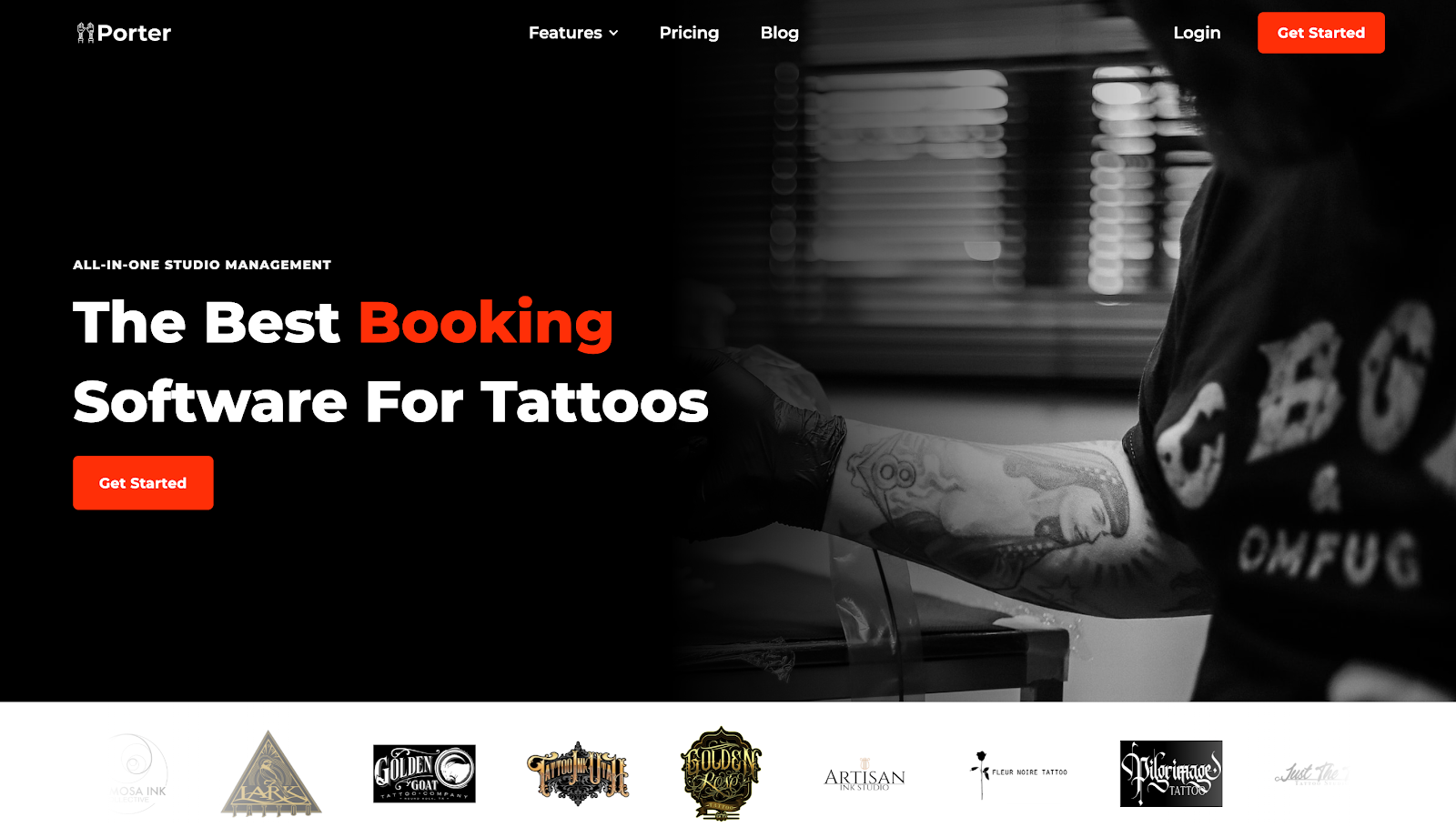
Porter is the first all-in-one studio management platform designed exclusively for tattoo artists and shop owners like you.
It combines online booking, payments, client communication, marketing, and staff payroll in a single tool. This eliminates the need for social media DMs, spreadsheets, and endless email chains.
With Porter, you can let clients book directly through customizable intake forms. Simply share the unique booking link to your Instagram profile, website, or any app where customers can reach you.
Collect deposits upfront and remind customers of upcoming appointments to reduce no-shows or last-minute cancellations.

The platform automatically sends checkout links after an appointment. Customers can pay you via debit card, credit card, or any mobile wallet.
Alternatively, you can use Porter’s tattoo POS hardware at your desk to provide a more traditional checkout experience. All transactions show up in a clear dashboard for more efficient revenue tracking.
You also get detailed client profiles that make it easy to send personalized marketing campaigns. Offer discounts or special offers to drive customers back to your shop.
On top of these tools, Porter automates payouts to tattoo artists hired by your studio. Simply visit the "Manage Team" dashboard and set their commission rates. You can even choose to send money directly to the artists' account or your shop if you want.
Get started with Porter today to run your tattoo studio like a pro!
Key Features
- Custom intake forms: Collect client information, tattoo ideas, references, and other important details before accepting a customer's request and sending them a link to your calendar.
- Smart scheduling: Nudge clients to book on days and times that will optimize your schedule.
- Guest spots: Schedule a trip and allow customers to book with you wherever you're traveling. Clients only choose dates and times you're available in a specific city.
- Automated deposits: Set a minimum deposit fee before customers can book an appointment. Collect and track these deposits without leaving the Porter platform.
- Digital waivers and consent forms: Set up online waivers and consent forms that require clients' signatures and ID uploads. These are automatically sent to customers on the morning of their appointment.
- Instant reminders: Send automatic texts or emails to clients to reduce no-shows. You can also request reviews from customers after their appointment.
- Seamless checkout: Share payment links with clients so they can add a tip and pay via debit card, credit card, Apple Pay, and more.
- POS integration: Allow clients to pay by swiping or tapping their credit cards at the front desk's POS system.
- Client messages and profiles: Porter lets you communicate with clients, track their requests, and view their full detailed history with your tattoo shop.
- Marketing tools: Send campaigns, promotions, and aftercare reminders to keep clients engaged.
- Team dashboard: Add service providers, assign roles, track artist schedules, and view performance metrics.
- Automated payroll: Choose from different payout options, manage artist payments, and issue 1099 tax forms directly to service providers.
Pricing

Porter offers different pricing for tattoo artists and tattoo studios.
- Artist Essentials ($35/month): This plan provides the basics to manage your tattoo business. It includes calendar and scheduling, deposits and payments, automated reminders, post-appointment follow-ups, optional POS hardware, in-app chat, and performance reports.
- Artist Pro ($65/month): On top of everything included in Artist Essentials, it adds automated liability waivers and consent forms, marketing tools, 100 free marketing SMS messages, and 250 free marketing emails every month. It suits solo artists planning to grow their client base and streamline marketing.
- Studio Pro ($200/month): Designed for tattoo shops, this plan unlocks advanced features like unlimited artists, sales tax collection, automated commission splits, 1099 forms for artists, a centralized booking request system, and a custom shop website. These help you streamline operations.
Get started today and enjoy a free trial!
Pros
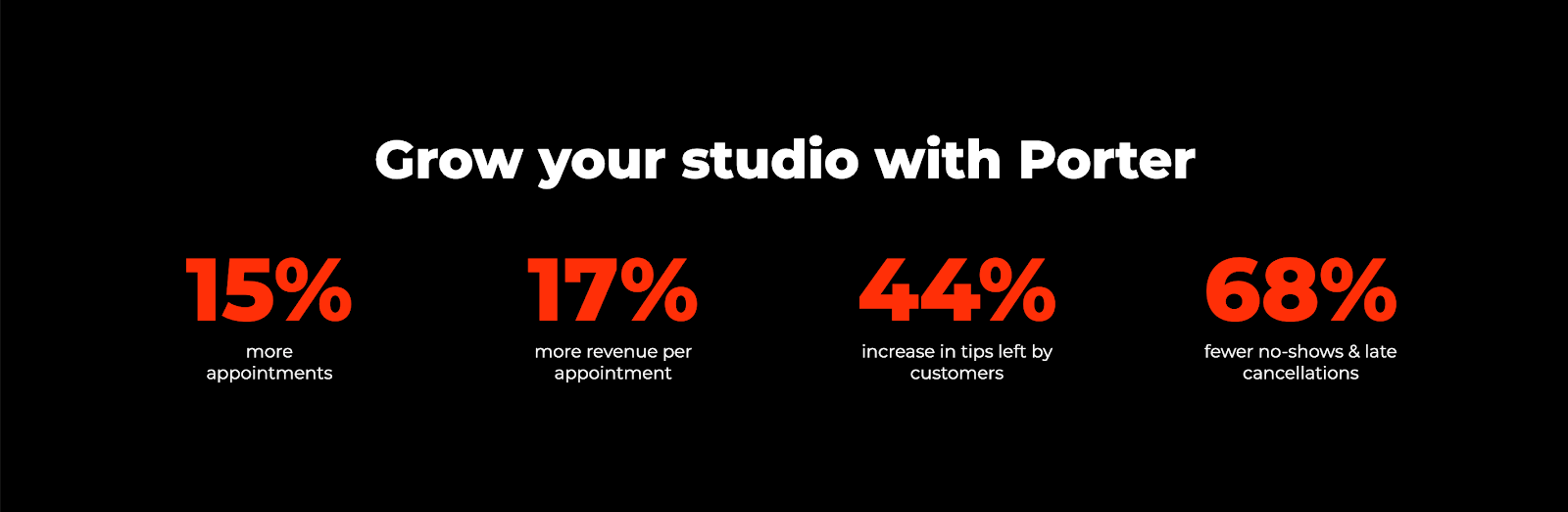
Porter stands out because it delivers measurable results for tattoo studios. Shops using Porter report 15% more appointments, thanks to the simple and intuitive self-booking experience.
The platform can also generate 17% more revenue per appointment by offering add-ons (piercings, PMU, and other non-tattoo services) at checkout. It can even drive repeat visits through targeted email campaigns.
Clients tip more, too, when using Porter’s seamless payment system. Tattoo studios see a 44% increase in customer tips.
Plus, automated reminders and deposits lead to 68% fewer no-shows and late cancellations, keeping your schedule full.
Want to enjoy these benefits for yourself? Get started with Porter today!
2. Linework

Linework takes care of the daily administrative tasks so you can run your tattoo business more smoothly.
It features an online booking system that enables clients to schedule themselves based on your artists' real-time availability. This eliminates double bookings and saves time.
The platform also handles transactions between artists and customers. It can automatically process payments without requiring external card terminals. Clients simply scan a QR code or access an SMS link to the checkout page.
Plus, Linework manages rent splits and generates automatic invoices between the shop and artists. It can even provide automated financial management reports to help you stay organized without extra spreadsheets.
Key Features
- Online booking: Customers book appointments themselves through a mobile-friendly calendar.
- Automated client communication: Send automated confirmations, reminders, and email updates to reduce no-shows.
- Digital payments: Accept payments through QR codes or text links with no extra hardware.
- Rent settlement: Create automated invoices that instantly split shop rent and fees for hassle-free payment allocation.
- Accounting reports: Track revenue trends, rental fees, taxes, and financial data from a reporting dashboard.
Pricing
Linework charges tattoo artists and studios differently.
- For Artists ($49/month): This plan suits solo artists who want to manage their own bookings and payments. It includes mobile app access, appointment management, client notifications, online payments through Stripe, and financial reports.
- For Studios ($79/month): It comes with a single manager seat ($35/month for an extra manager seat) plus unlimited artists, unlimited client notifications, studio rent invoices, and access to a web app.
Pros
Linework provides effortless management of your tattoo business. It helps you handle online bookings, payments, rent settlement, and client communication in a single location.
The platform can also generate accounting-ready reports. These provide more control over your finances and help you make data-driven decisions.
Cons
Linework's tattoo studio management software has several limitations. It lacks the ability to block out multiple days, set up travel dates, or attach reference photos to appointment requests.
The platform also fails to provide consent forms and waivers. You need to use another app to create these digital forms and track compliance.
Plus, it doesn't have built-in marketing tools that help you stay connected with existing customers and reach new clients.
3. Keep the Fees
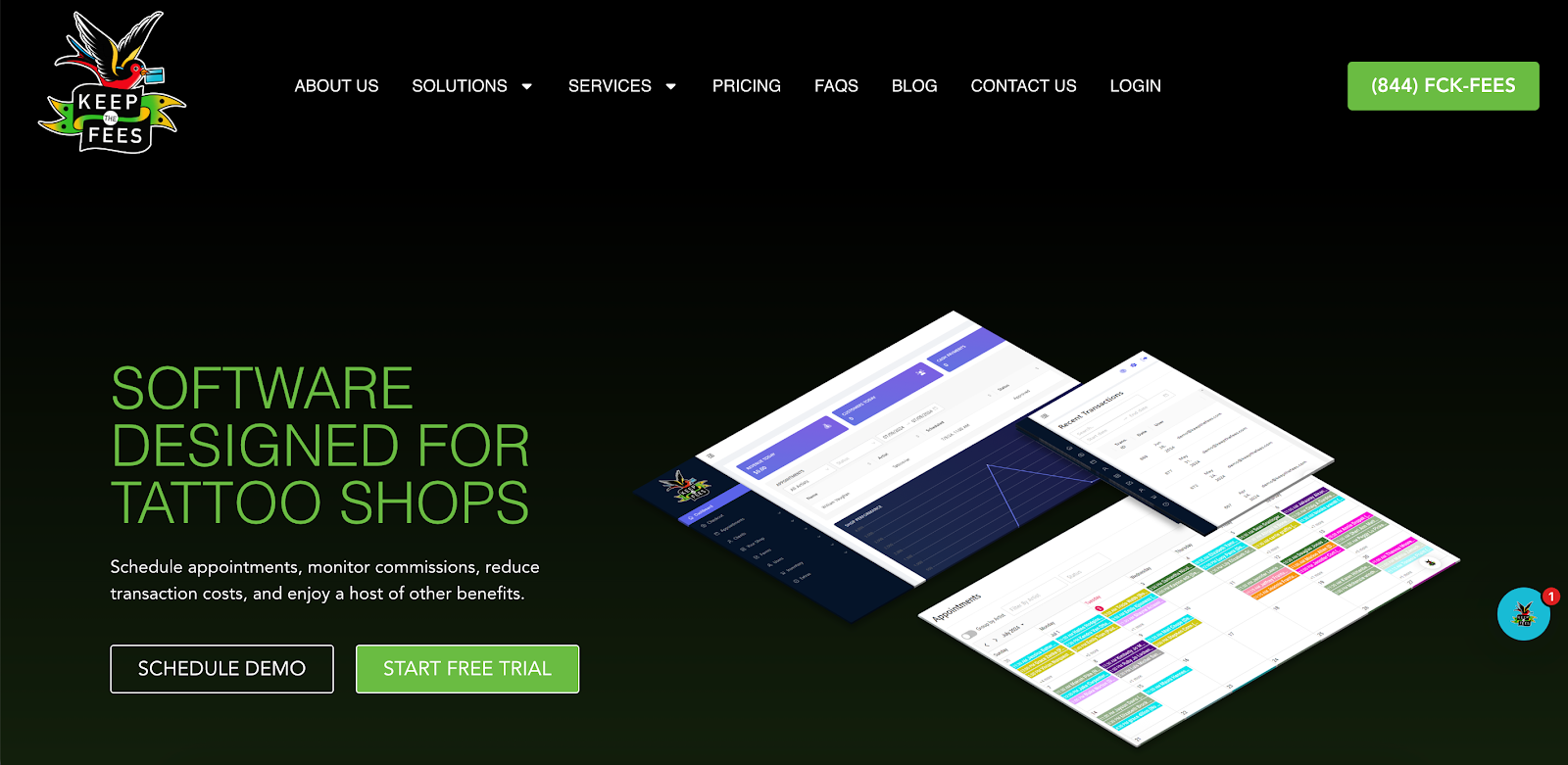
Keep the Fees (KTF) is a user-friendly solution that helps tattoo studio owners manage their business on one platform.
It features a POS system designed exclusively for tattoo shops. It eliminates payment processing fees so you can maximize profits from each client.
The platform also includes a color-coded calendar system that makes it easy to manage appointments. Avoid double bookings and gain complete visibility into your shop’s daily schedule.
Meanwhile, custom-built digital forms remove paperwork and keep things compliant. They enable clients to sign waivers and attach their IDs for age verification.
Plus, KTF comes with an automated inventory management system. Upload your inventory, scan barcodes for easy checkouts, and assign commissions based on individual products.
Key Features
- Zero-fee processing: Dual pricing technology automatically displays a discounted cash price and a card price to save money.
- Online booking: Clients book appointments and pay deposits through a shared calendar.
- Digital forms: Create custom release forms that comply with strict health regulations.
- Inventory management: Track inventory and place orders with your vendors instantly.
- Commission calculations: Automate artist splits and payouts to save time.
Pricing
KTF follows a per-artist pricing model, and every paid package includes all features.
- Individual ($69.99/month): This plan is good for 1–2 tattoo artists.
- Mid-size ($99.99/month): It suits tattoo businesses that employ 3–6 artists.
- Large studio ($129.99/month): It is designed for growing tattoo studios with more than 7 artists.
- Additional locations: Shops that need multiple locations can get 50% off the plan price.
Pros
Keep the Fees helps tattoo studio owners and artists save money by cutting down on processing fees. It works by offering dual pricing to your customers: they can use a card or receive a discount if they pay with cash.
The platform automatically calculates the savings with a single click.
There is also a built-in commission solution that automates commission tracking and artist splits. This saves time and reduces the need for spreadsheets.
Cons
Despite the benefits, KTF is more expensive than most tattoo studio management platforms. Pricing starts at around $69.99/month, which may not be ideal for small business owners.
It also has limited marketing tools and store management capabilities. There's no option to send special offers, add other services to the checkout page, assign staff roles, or set business trips.
4. Tattoo Studio Pro

Tattoo Studio Pro provides all the necessary tools to help run your tattoo and piercing business efficiently. It’s built to run on iOS, Android, and desktop, so you can manage your studio anytime from anywhere.
It features intuitive calendar views and artist filtering that make it simple for clients to book their appointment with you. Meanwhile, the queuing feature enables customers to check in when they arrive for a smooth experience.
With Tattoo Studio Pro, you can also create custom forms in any language to simplify client intake and consent. Retrieve these documents anytime using the search functionality.
You can even see your tattoo studio's performance through visual reports and dynamic graphs. Monitor revenue from aftercare products, summarize total artist earnings, view deposits, and track taxes collected, among other tasks.
Key Features
- Appointment booking app: Schedule appointments, manage walk-ins, collect deposits, and send automatic text reminders to clients without switching between different platforms.
- Digital forms: Collect consent forms and store them securely in the cloud for easy access.
- Detailed reports: Track sales, tips, taxes, and more from a visual reporting dashboard.
- Integrated Stripe payments: Process payments directly in the app through Stripe for built-in fraud protection and PCI compliance.
- Staff accounts: Add team members to your plan and assign specific roles to simplify staff management.
Pricing
Tattoo Studio Pro offers transparent, team-based pricing with no hidden feature limits. Every plan includes the full product suite, regardless of team size.
- Solo ($29/month): It offers a single team account suitable for an individual tattoo artist.
- Crew ($69/month): It provides access to five team accounts, designed for small tattoo studios.
- Tribe ($119/month): This plan is good for mid-sized businesses that need up to ten accounts.
- Clan ($179/month): It suits growing tattoo studios that require 15 team accounts.
- Guild ($239/month): This plan offers up to 20 accounts, which is designed for large businesses.
- Legion ($299/month): It includes 25 team accounts to meet the demands of high-volume tattoo shops.
Pros
Tattoo Studio Pro offers tattoo-specific tools, like digital consent forms, online booking, queue check-ins, and artist portfolios. These simplify operations and keep clients coming to your tattoo store.
It is also compatible with different devices (mobile, tablet, and desktop), so you can manage your business anywhere.
Cons
While Tattoo Studio Pro collects digital forms, it does not let customers upload digital IDs. They still need to submit their proof of identification at the front desk, which can be a hassle.
Plus, the platform lacks payroll management features. You need another tool to calculate commissions or split studio rental fees, which can waste time and complicate artist payouts.
5. Venue Ink
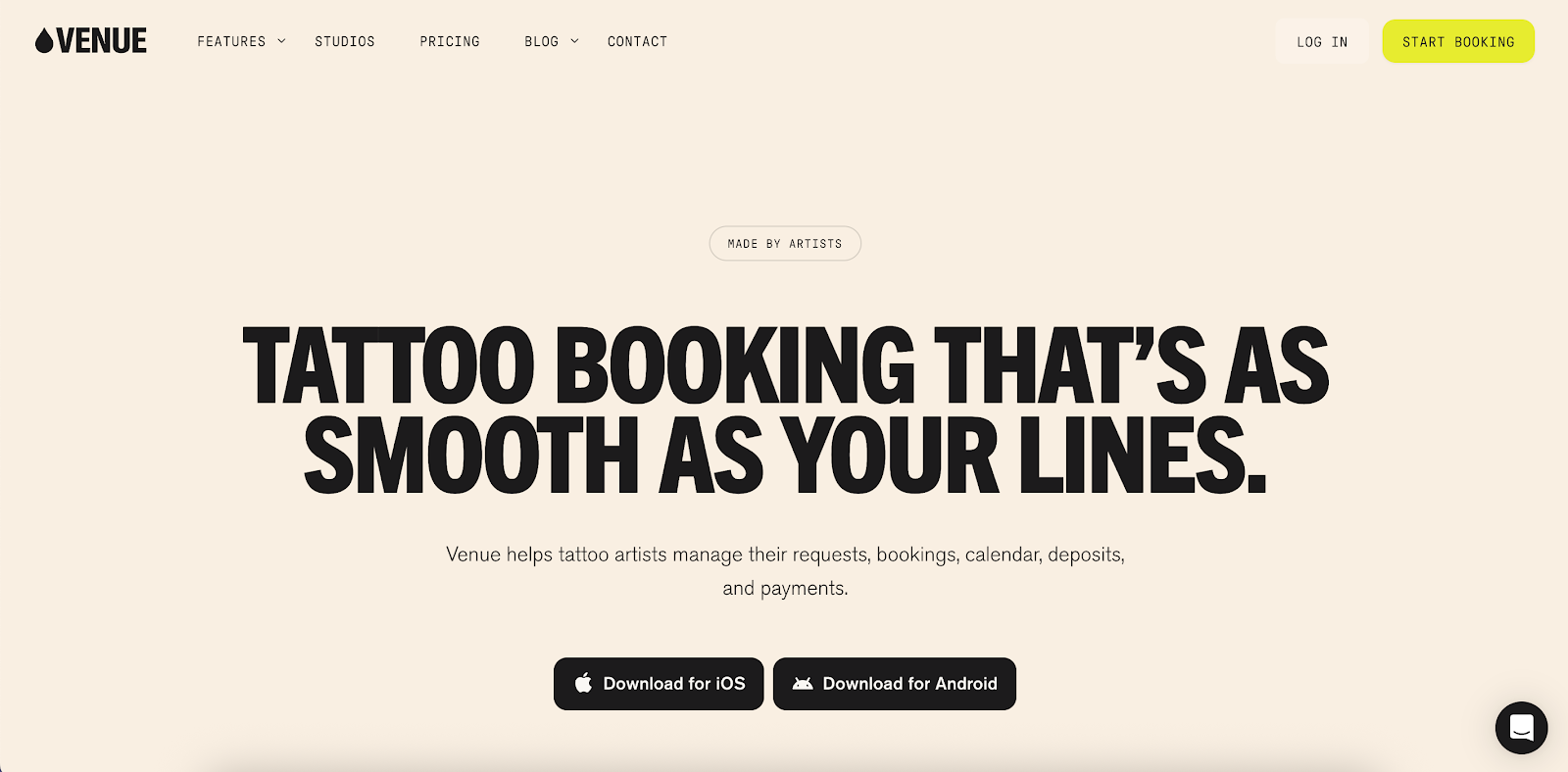
Venue Ink empowers customers to book appointments while making it easy for tattoo studios to manage artist calendars and track payments.
Through Venue Ink's booking link, clients fill out custom forms, upload design references, and pay deposits upfront via Stripe. You oversee everything from one dashboard, from booked slots and client messages to studio earnings.
You can also add non-tattoo services to your shop with just a few clicks, which can increase revenue per appointment.
Meanwhile, tattoo artists may upload flash designs and set tattoo pricing to book clients instantly. They can even set their own payout schedules (daily, weekly, or monthly) from the app.
Key Features
- Online booking link: Venue Ink provides a secure, mobile-friendly link that clients use to book any artist at your tattoo studio.
- Artist scheduling: View all artists’ calendars in one dashboard. You can manage availability, bookings, and walk-ins efficiently.
- Integrated payments: Accept deposits, payments, and tips via Stripe.
- Automated payouts: Split commissions and pay each artist based on their preferred schedules.
- Flash management: Upload your art designs, set pricing, and sell your flash instantly.
Pricing
Venue Ink is free for both solo tattoo artists and full studio teams. Instead, a 10% booking fee is added to client payments to cover deposits and card processing.
For artists who want a more complete financial setup, the Solo Pro plan costs $50/month. It includes a lower 5% booking fee, an optional payment terminal, and monthly accounting reports.
On the other hand, growing shops can choose the Studio Pro plan at $150/month. It offers up to five active artists, monthly accounting reports, automated artist splits, and a free personalized payment terminal.
Pros
Venue Ink is known for its free-for-use model. You only pay when you serve more clients and want industry professionals to take care of your finances.
The platform also simplifies studio workflows by combining powerful tools in a single interface. This eliminates DMs and back-and-forth emails.
Cons
Despite its strengths, Venue Ink may lack some advanced features compared to more comprehensive tattoo shop management software.
As a free model with a simple setup, it doesn’t include built-in marketing tools, deep analytics, or advanced commission tracking found in full management suites.
Plus, Venue Ink passes on hefty transaction fees to clients. This could be a downside for any service-based business that wants to build stronger client relationships and encourage repeat bookings.
Criteria for Selecting the Best Tattoo Studio Management Software
If you're still unsure which software to choose, consider the features below:
Appointment Scheduling
Look for software with automated calendar syncing, real-time availability, rescheduling options, and deposit collection. These help prevent double bookings, reduce no-shows, and save time on manual booking.
You should also check if you can create intake forms to capture customer information before accepting their request.
Client Management
The best tattoo studio software should store important client details in one place, such as contact numbers, past messages, allergies, and design preferences.
You'll find it easier to personalize each session and build stronger relationships.
When clients feel remembered and valued, they’re more likely to return and refer friends. This can boost your studio’s reputation and increase bookings.
Payment Processing
Verify that the platform accepts multiple payment types, such as cards, cash, and digital wallets. Bonus points if the software integrates with your POS system and splits commissions between artists.
Smooth payment processing can improve the checkout process, reduce errors, and keep your revenue records accurate for tax compliance.
Automated Reminders and Follow-Ups
Check if you can send automated reminders before the appointment day to reduce no-shows and last-minute cancellations.
You should also be able to send post-appointment follow-ups, such as aftercare instructions or review requests.
Digital Waivers and Consent Forms
Digital forms make compliance simple.
Choose tattoo shop software that collects e-signatures, stores documents, and attaches them to client profiles. This keeps you legally protected and removes the clutter of paper forms.
Reporting and Analytics
Data is powerful when running a shop. Reporting tools should track bookings, revenue, tips, popular services, and even market trends. These insights help you spot revenue opportunities and measure performance.
On the other hand, detailed analytics show what’s working and where to improve. You can set financial goals and elevate client experiences.
Marketing Tools
Choose tattoo studio management software that integrates marketing tools. Automated email campaigns, exclusive discounts, and text blasts encourage clients to visit your store more often.
Advanced platforms may even include loyalty programs to reward repeat customers.
Staff Management and Payroll
Managing a team is easier with software that tracks schedules, commissions, and payouts automatically.
Look for tattoo management systems that let artists view their bookings, request time off, and see their earnings in real time.
The ability to assign different roles (artist, shop manager, staff) within the platform can also be valuable. This way, you can improve accountability and reduce miscommunication.
Run Your Studio Like a Pro With Porter
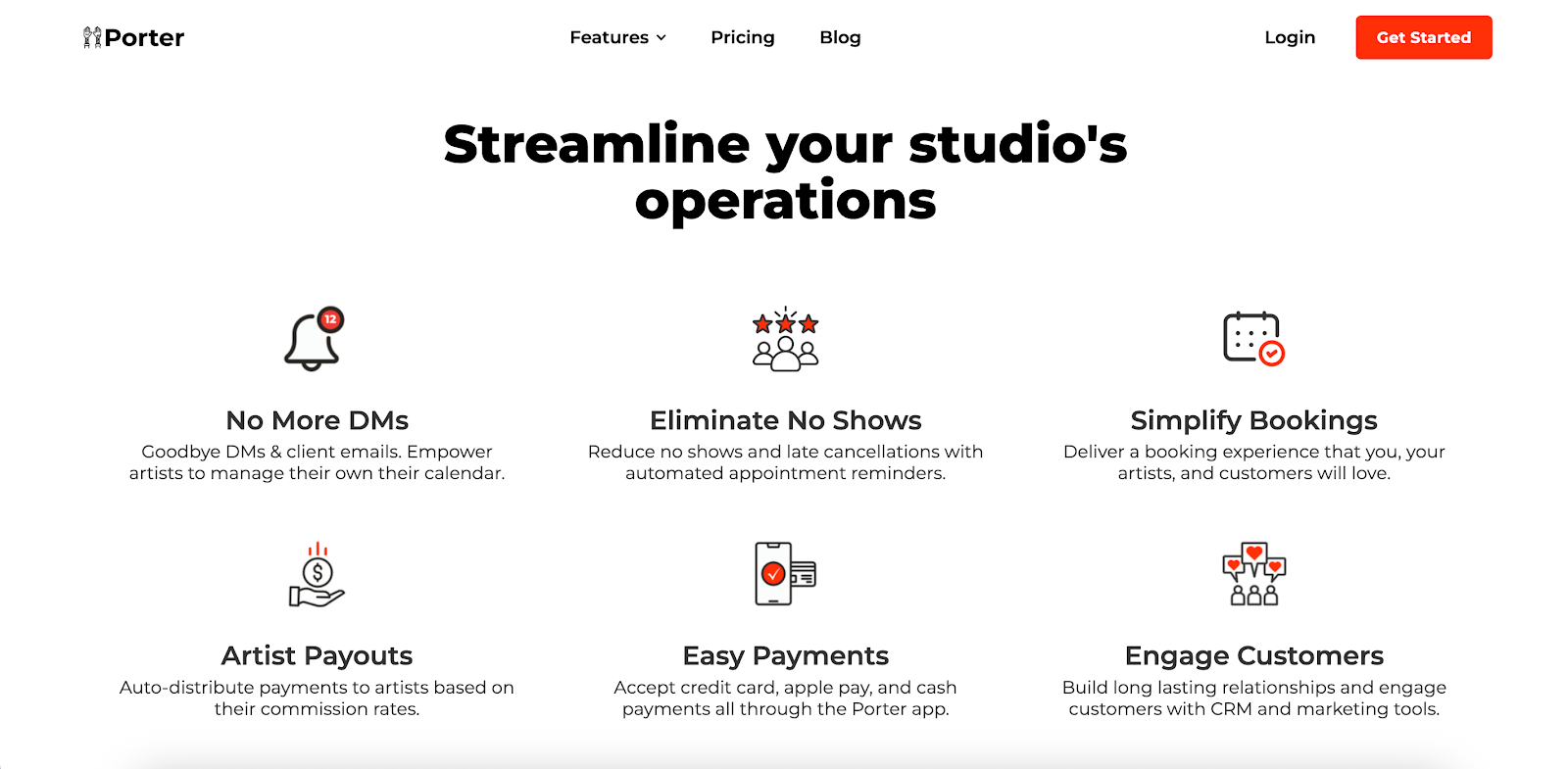
Stop wasting time juggling DMs, spreadsheets, email threads, and separate apps. Porter puts everything you need to run your tattoo studio in one place: booking, payments, POS, client management, marketing, and analytics.
Let clients book their favorite tattoo artists while empowering your artists to manage their calendars even when traveling.
Your tattoo shop can collect digital payments, send automated reminders, store waivers, engage customers, and automate artist payouts.
You can even track inventory, add retail products, and set up non-tattoo services through Porter. Enjoy a smoother process and eliminate the headache of store management.
Get started today and grow your studio with Porter!
FAQs About Tattoo Shop Management Software
What is the best tattoo management software?
The best tattoo management software entirely depends on your studio's unique needs, budget, and artist preferences.
Porter is a top choice for shop owners who need the right tools to streamline their operations. It combines booking, payments, POS, client communication, staff management, marketing, and analytics in a single tool.
How to manage a tattoo shop?
Use software with scheduling tools, automated reminders, integrated payment methods, and inventory tracking to manage your tattoo shop efficiently. Reliable vendor support is also important to solve platform issues quickly and keep your business running smoothly.
What technology do tattoo artists use?
Tattoo artists use more than machines and needles. They also rely on tablets for designing art, POS hardware for payments, and tattoo scheduling software to manage bookings.

.avif)